Need to know about Volume? Let’s start with the basics, then advance to complete formulas, etc. Volume is basically how much 3D space something takes up. Whether you’re figuring out how much water fits in a tank, what’s inside a box, or tackling some geometry homework, a good volume calculator speeds things up big time.
Our calculator does it all for you in a flash—cubes, boxes (aka rectangular prisms), spheres, cylinders, cones, pyramids, and even weird prisms. Just pick your shape, enter the measurements, pick your units, and click on Calculate. You’ve got exact results right away.
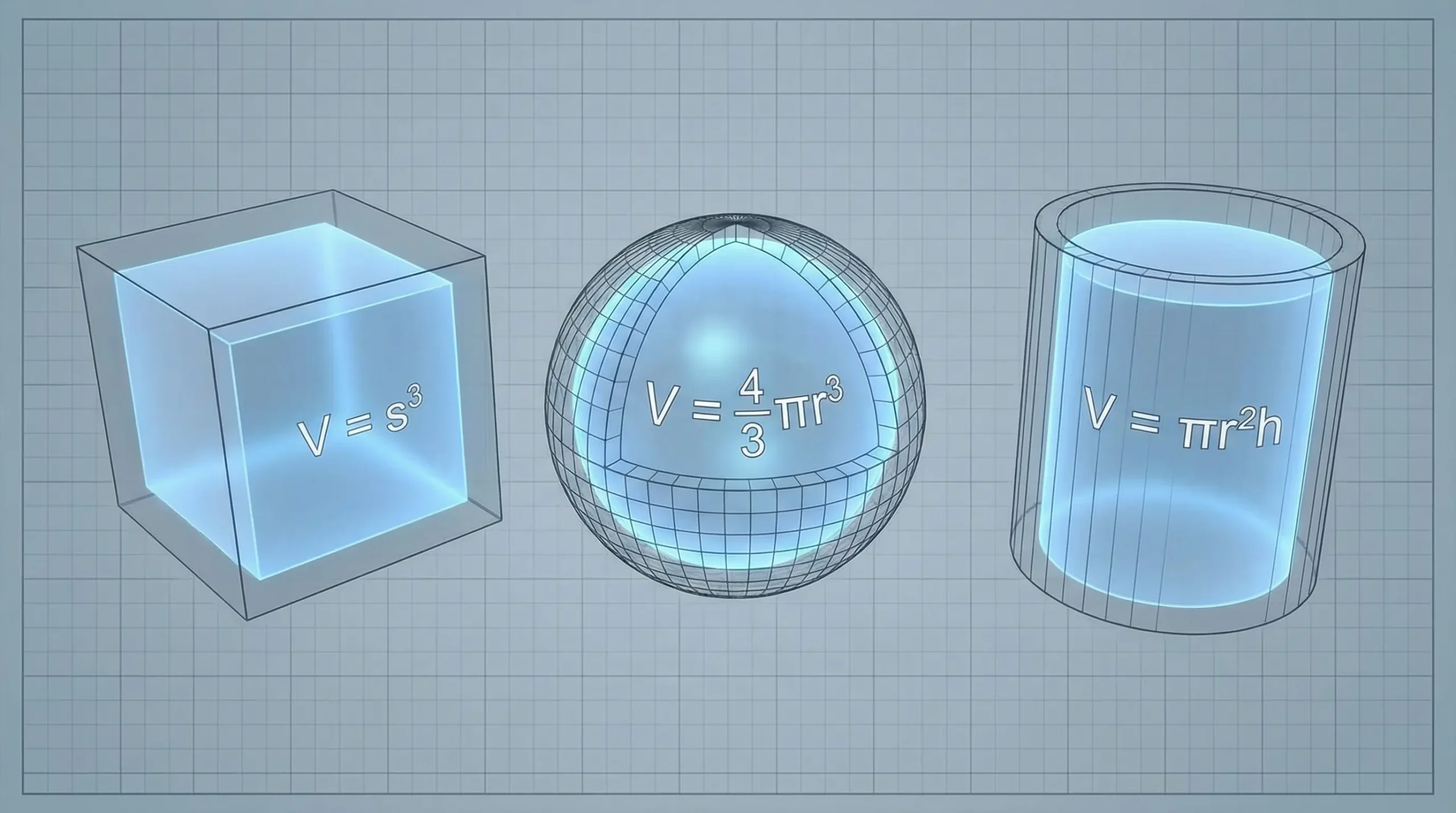
What Is Volume?
Volume is the amount of space enclosed within a three-dimensional object. It is measured in cubic units such as cubic meters (m³), cubic centimeters (cm³), cubic inches (in³), or liters (L).
In general:
- Area measures flat surfaces (2D)
- Volume measures space inside solids (3D)
Most volume calculations follow this basic idea:
Volume = base area × height
However, each shape has its own specific formula, which you’ll find below.
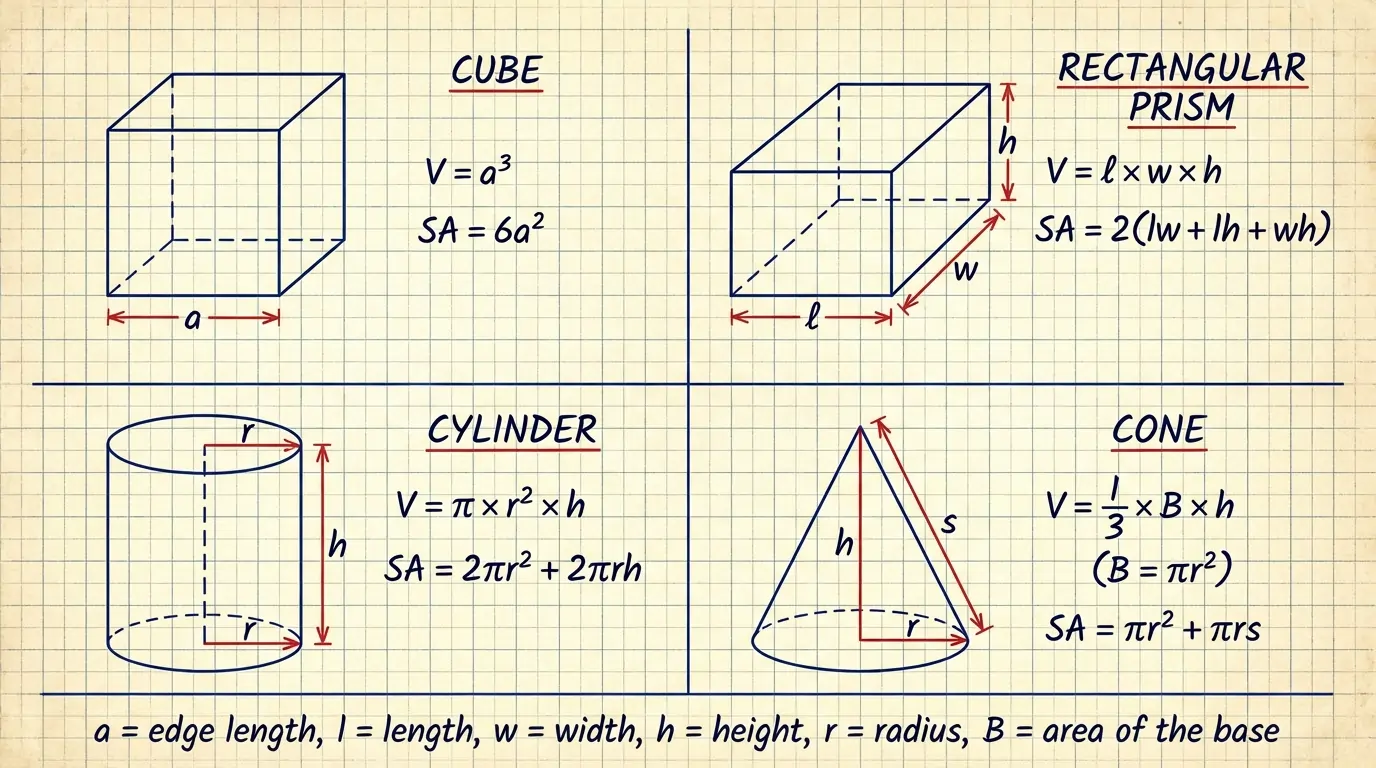
Volume Formulas at a Glance
| Shape | Volume Formula |
|---|---|
| Cube | V = a³ |
| Rectangular Prism | V = l × w × h |
| Sphere | V = (4/3)πr3 |
| Cylinder | V = πr2h |
| Cone | V = (1/3)πr2h |
| Pyramid | V = ⅓ B h |
| General Prism | V = Bh |
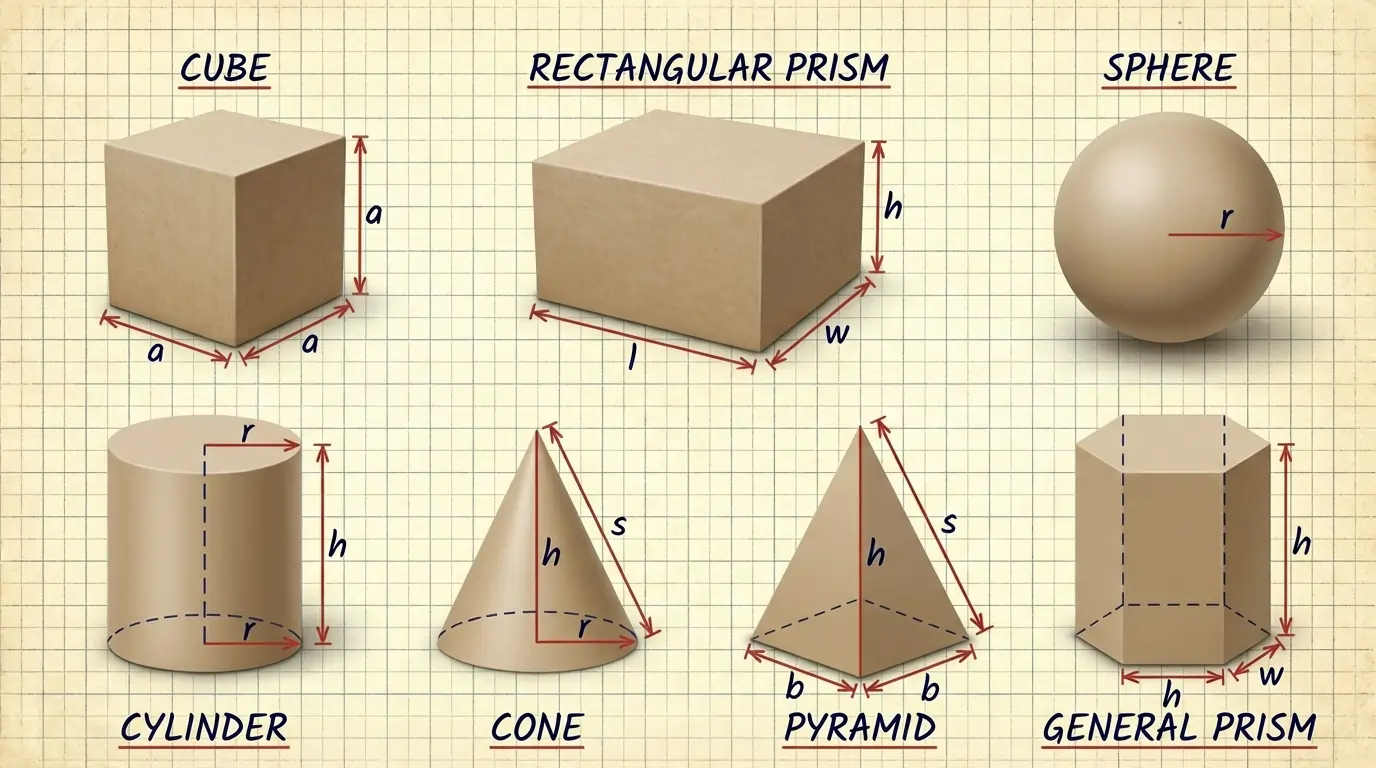
Where:
- a = edge length
- l = length, w = width, h = height
- r = radius
- B = area of the base
How to Use the Volume Calculator
- Select the shape from the dropdown menu
- Enter the required measurements (radius, height, length, etc.)
- Choose your preferred unit (meters, centimeters, inches)
- Click Calculate to get instant results
The calculator automatically handles unit conversions and displays accurate values without manual calculations.
Volume by Shape: Formula, Example, and Usage
Cube:
Formula:
V = a³
Example:
If the edge length is 0.5 m:
V = 0.5 × 0.5 × 0.5 = 0.125 m³
How to use the calculator:
Choose Cube, enter the edge length, select units, and calculate.
Real-world use:
Storage boxes, containers, and packaging design.
Rectangular Prism:
Formula:
V = l × w × h
Example:
l = 2 m, w = 0.5 m, h = 0.4 m
V = 2 × 0.5 × 0.4 = 0.4 m³
How to use the calculator:
Select Rectangular Prism and enter length, width, and height.
Real-world use:
Aquariums, shipping boxes, room storage planning.
Sphere:
Formula:
V = (4/3)πr3
Example:
If r = 0.15 m:
V = (4/3) × π × 0.153 ≈ 0.0141 m³
How to use the calculator:
Choose Sphere and enter the radius (divide diameter by 2 if needed).
Real-world use:
Balls, spherical tanks, domes.
Cylinder:
Formula:
V = πr2h
Example:
r = 0.3 m, h = 1 m
V = π × 0.32 × 1 ≈ 0.2827 m³
How to use the calculator:
Select Cylinder, enter radius and height.
Real-world use:
Cans, pipes, water tanks, pillars.
Cone:
Formula:
V = (1/3)πr2h
Example:
r = 0.1 m, h = 0.3 m
V = (1/3) × π × 0.12 × 0.3 ≈ 0.00314 m³
How to use the calculator:
Choose Cone and enter radius and height.
Real-world use:
Funnels, cones, ice cream cones, conical roofs.
Pyramid:
Example (square base):
Base side = 2 m → B = 2 × 2 = 4 m²
Height = 1.5 m
How to use the calculator:
Calculate the base area first, then enter base area and height.
Real-world use:
Architecture, monuments, landscaping structures.
General Prism:
Formula:
V = Bh
Example:
Base area = 3 m², height = 4 m
V = 3 × 4 = 12 m³
How to use the calculator:
Select General Prism and enter base area and height.
Real-world use:
Beams, channels, extruded structures.
Units and Conversion Tips
- Always keep dimensions in the same unit
- Common conversions:
- 1 m³ = 1000 L
- 1 L = 1000 cm³
- Convert diameter to radius using:
r = diameter ÷ 2 - Measure carefully to avoid rounding errors
Frequently Asked Questions
Choose the correct formula for the shape and multiply the required dimensions. A volume calculator simplifies this process.
Volume is measured in cubic units such as m³, cm³, in³, or liters.
Volume can be zero but never negative.
Accuracy depends on correct measurements and units. The formulas themselves are exact.
Measure the tank’s inner Length, Width, and Height in meters (m). First, calculate the volume in cubic meters: Volume (m³) = L × W × H. Then convert to liters using: Liters = Volume (m³) × 1000.
Final Thoughts
The Volume Calculator on PerimeterCalculator.com helps you calculate volume quickly and accurately for all common 3D shapes. With correct formulas, unit conversion support, and step-by-step guidance, it’s ideal for students, professionals, and everyday users.